User Roles & Permissions System for Empathy Platform
Role
UX/UI Designer
Tools
Figma, Jira, Miro
Skills
UX/UI Design, Prototyping
Project summary
01
The problem
Managing roles and permissions across multiple instances was complex, error-prone, and difficult to understand, increasing the risk of misconfiguration.
02
The goal
Simplify permission management by creating a clear, scalable system that allows users to assign roles confidently and understand access levels at a glance.
03
My role
Led the design of the roles and permissions system, defining interaction logic, information structure, and UI patterns in close collaboration with engineering teams.
04
Impact
A more intuitive and reliable permission system that reduces errors, improves clarity, and enables users to manage access with confidence.
Empowering Admin Control with Clarity
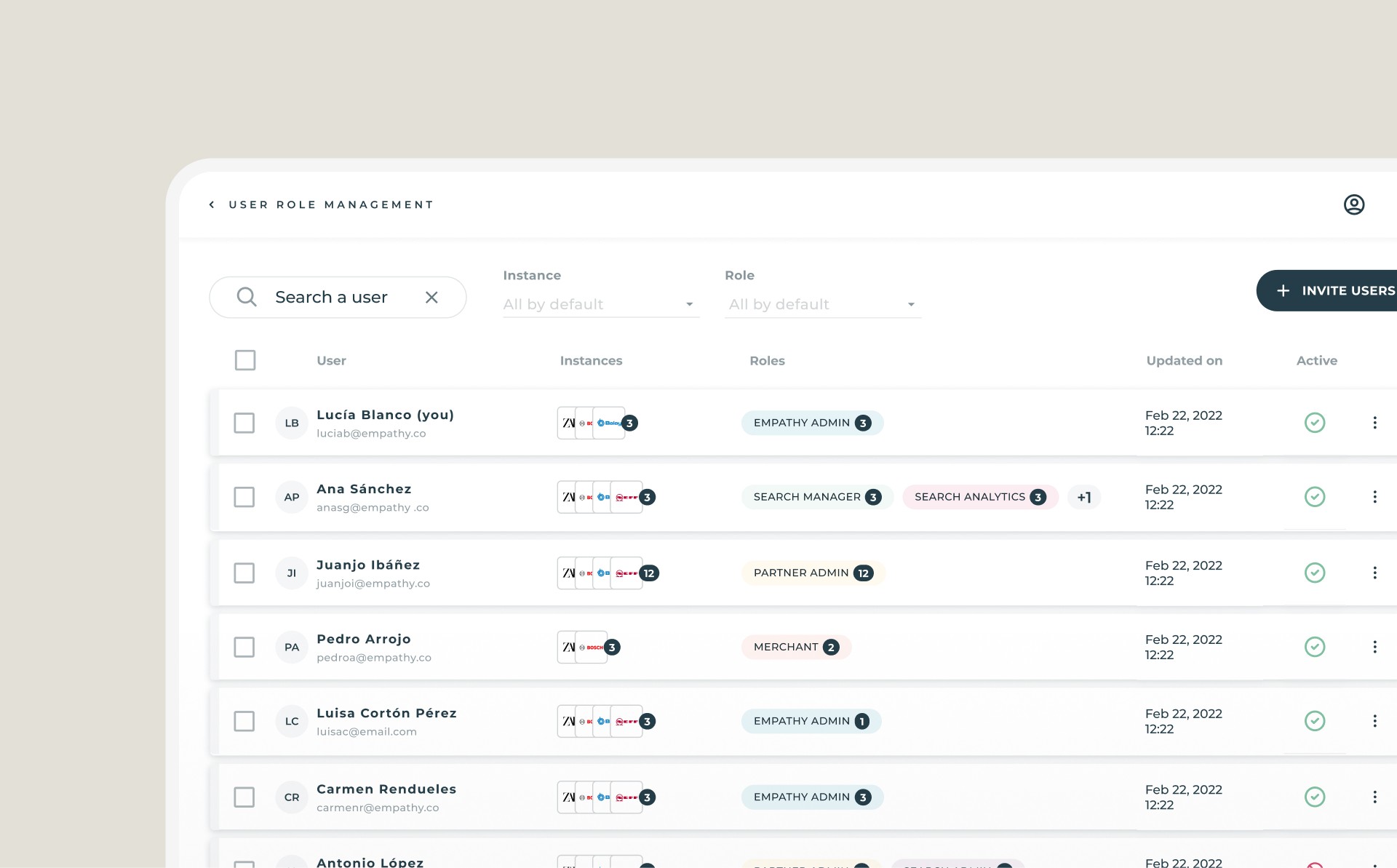
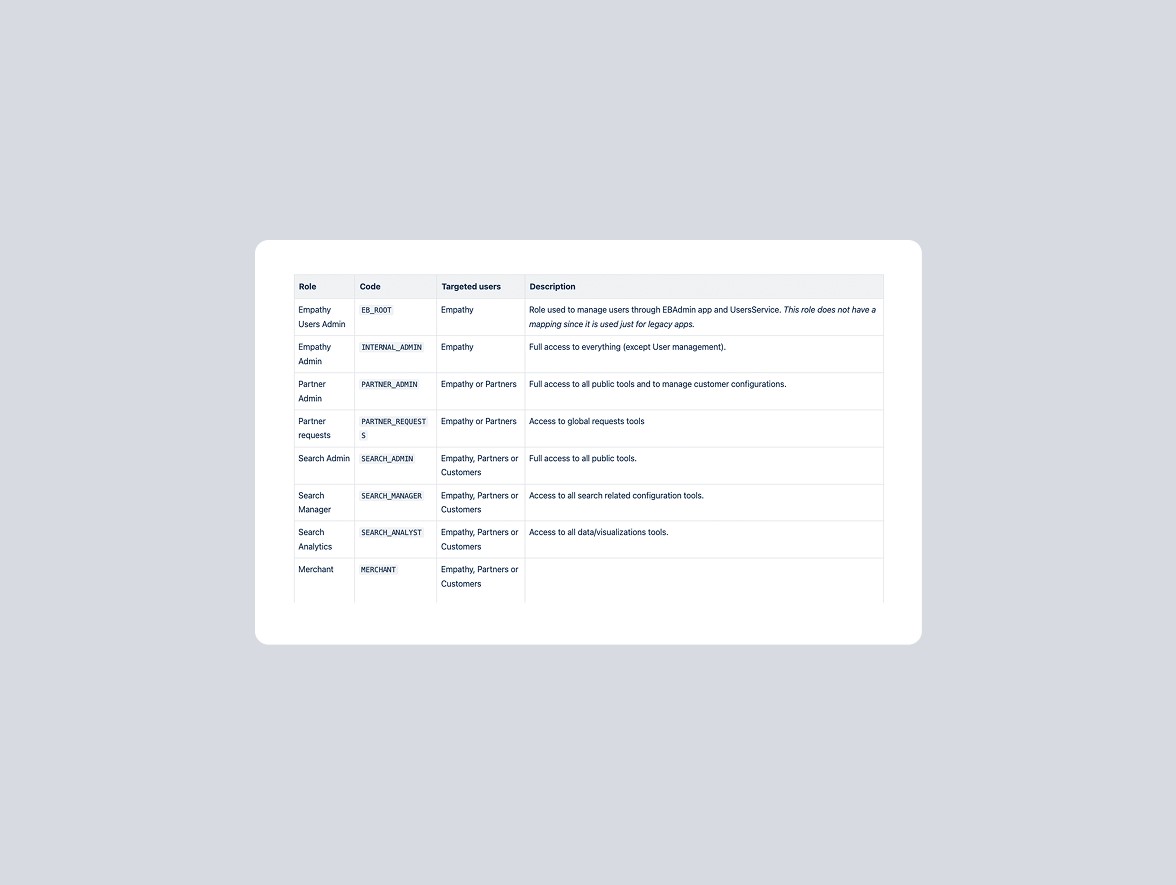
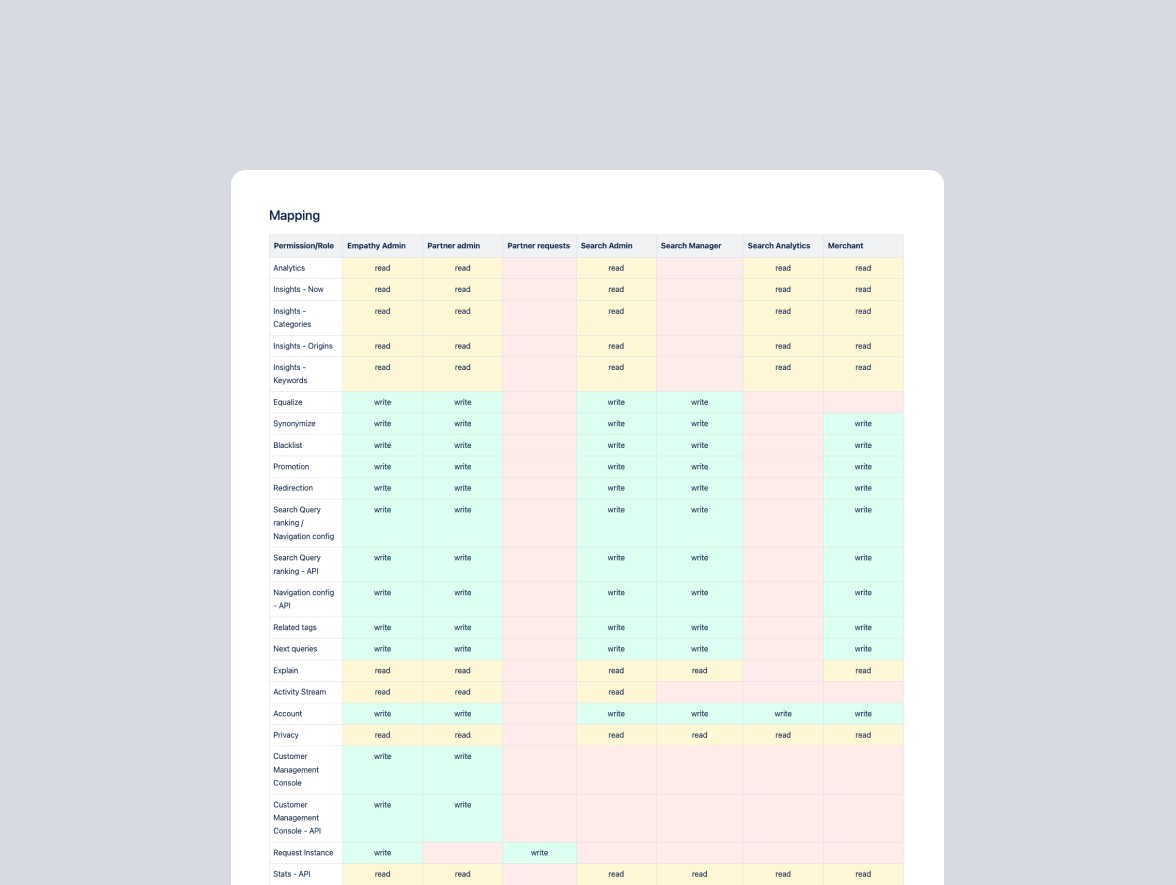
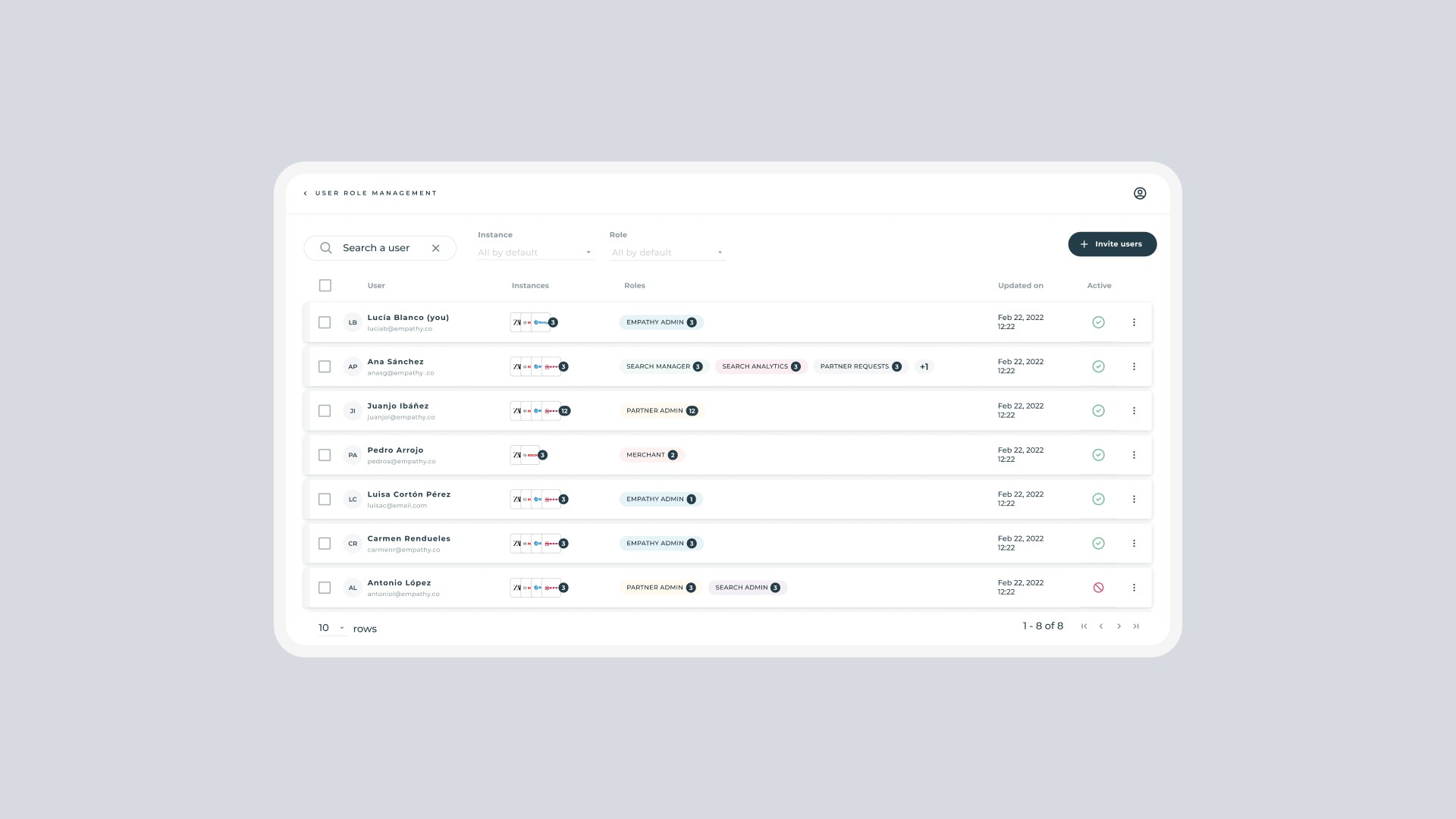
As part of the Empathy Playboard, I designed the new User Role Management feature, a configuration section that enables administrators to assign roles and permissions to users across the platform. This addition brought more control, transparency, and autonomy to internal teams managing user access.
My Role
As UX/UI Designer, I joined the project after an initial briefing from the Product Manager. My responsibilities included:
Understanding the technical constraints through discussions with backend and frontend developers.
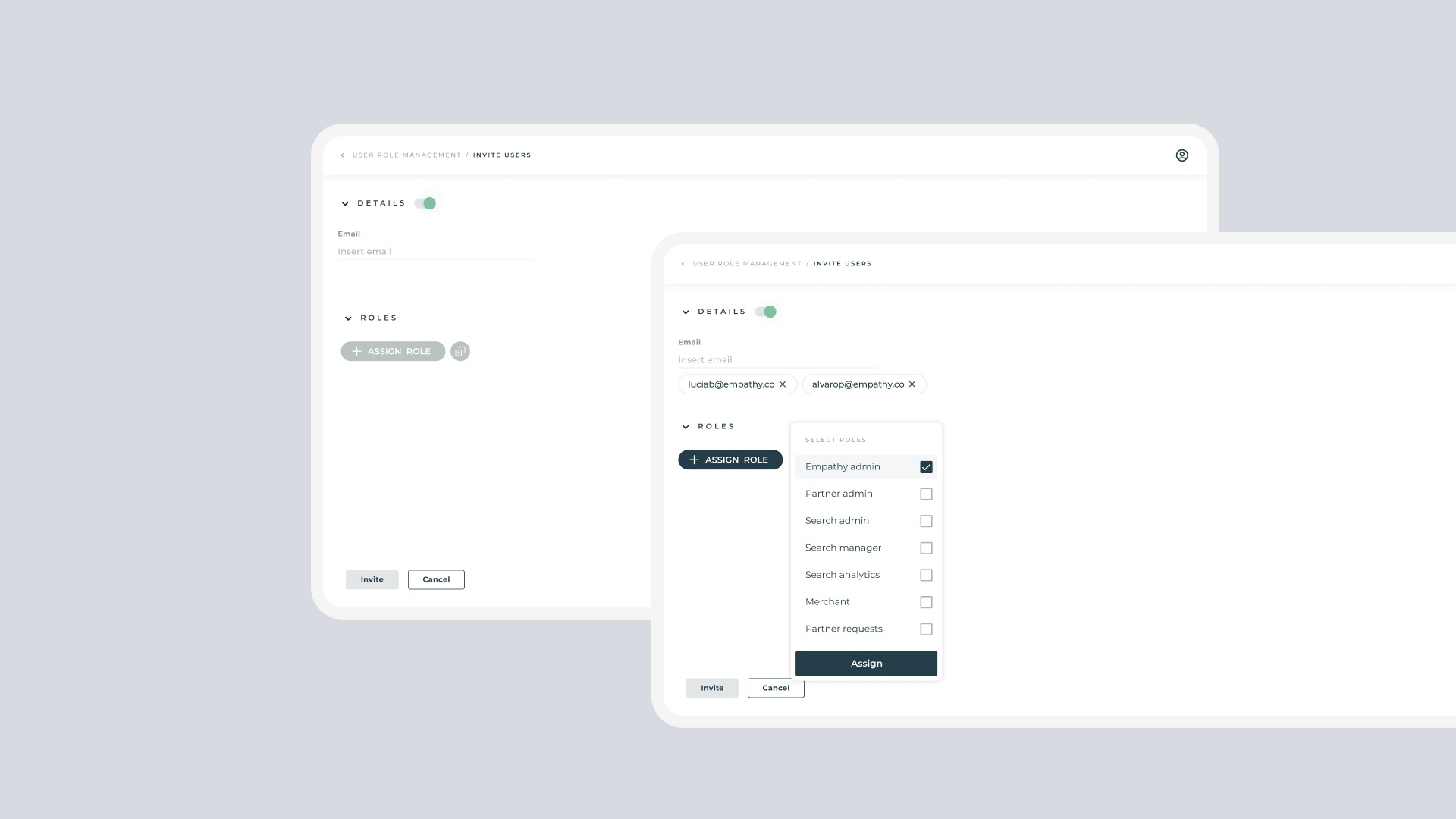
Mapping the user flows for role assignment, editing, and permission validation.
Designing multiple interaction proposals and validating them with both the Product Manager and the dev team.
Ensuring the final experience was consistent with Playboard’s design system and accessible to non-technical users.
Process
Discovery & Alignment
Several sync sessions with developers to uncover limitations in how roles were structured in the system. This helped define what was possible within the current architecture and what needed design-driven simplification.
Exploration
Early wireframes explored different approaches to:
Clearly display each user’s assigned role and permissions.
Allow roles and permissions to be edited in an intuitive, straightforward way.
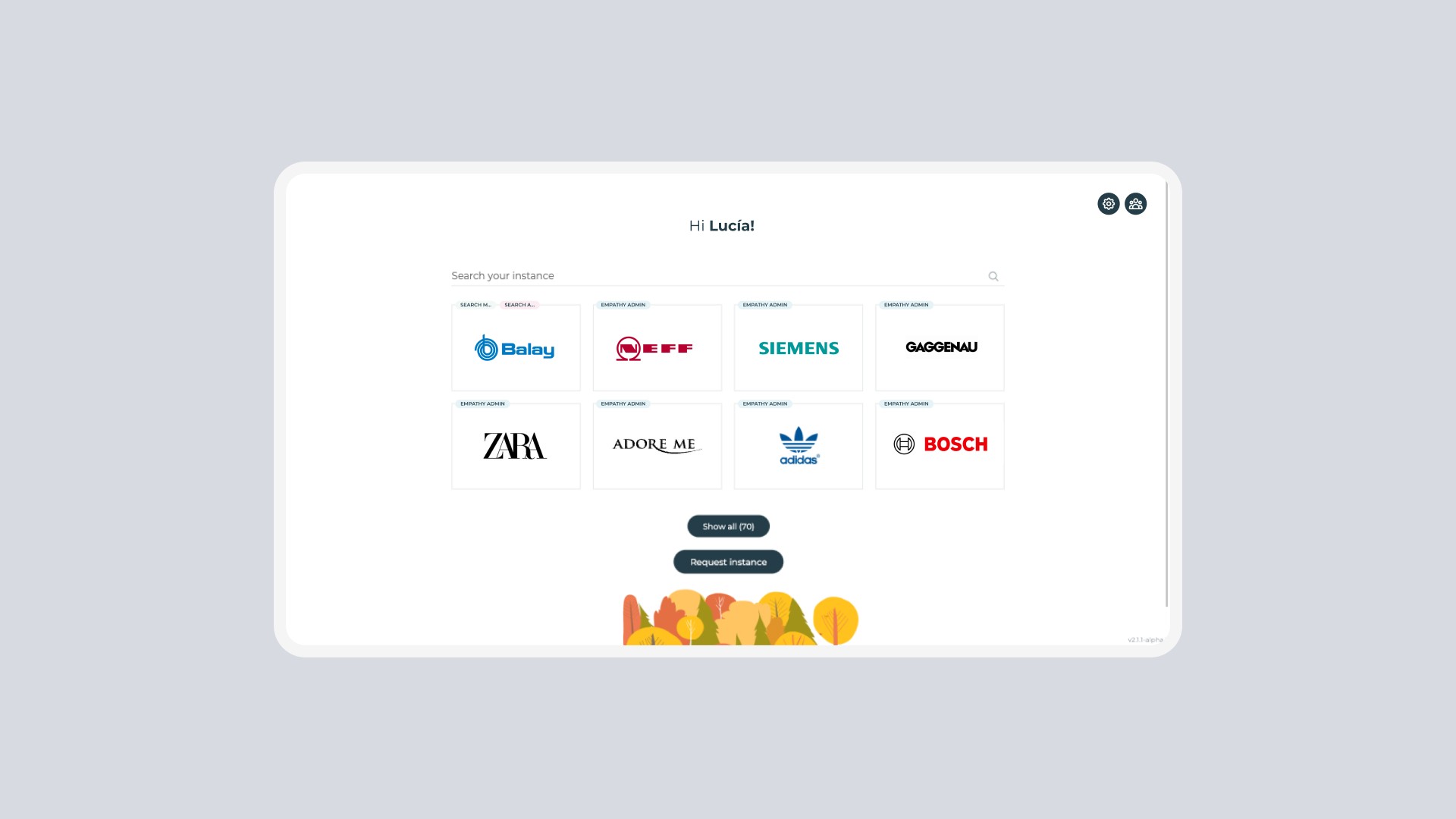
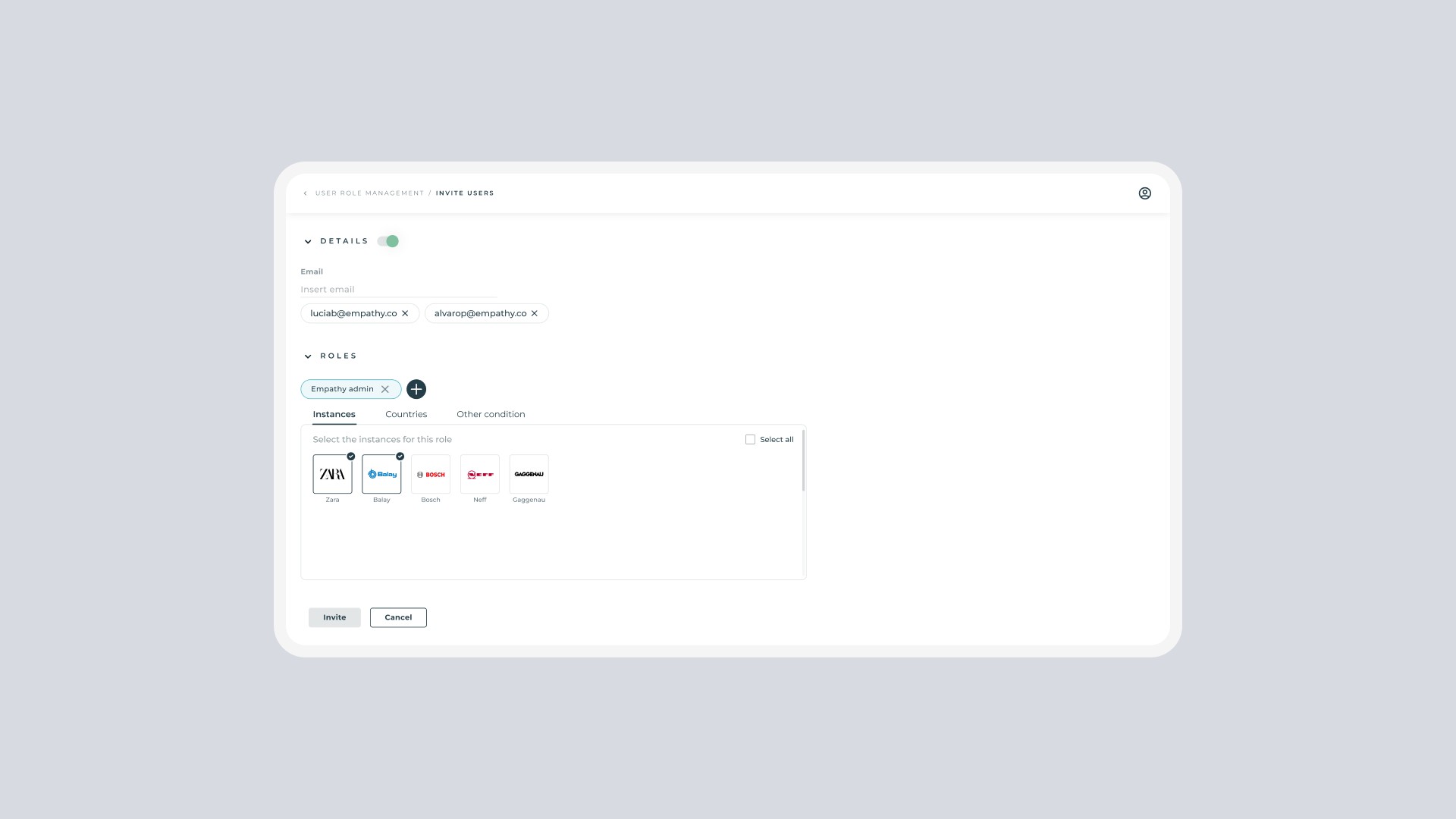
Simplify the complexity of multiple instances and edge cases through a clear, guided flow.
Iteration
After multiple iterations, we refined the design to balance usability, flexibility, and safety, prioritizing clarity over feature density.
Prototyping
I built high-fidelity prototypes that simulated real user interactions, transitions, and microinteractions. These prototypes helped the team experience the full flow including animations, state changes, and visual feedback. This stage revealed subtle usability gaps that static designs couldn’t show
Final Solution
The final design introduced a clean and structured interface that allows admins to:
Quickly view all users and their assigned roles.
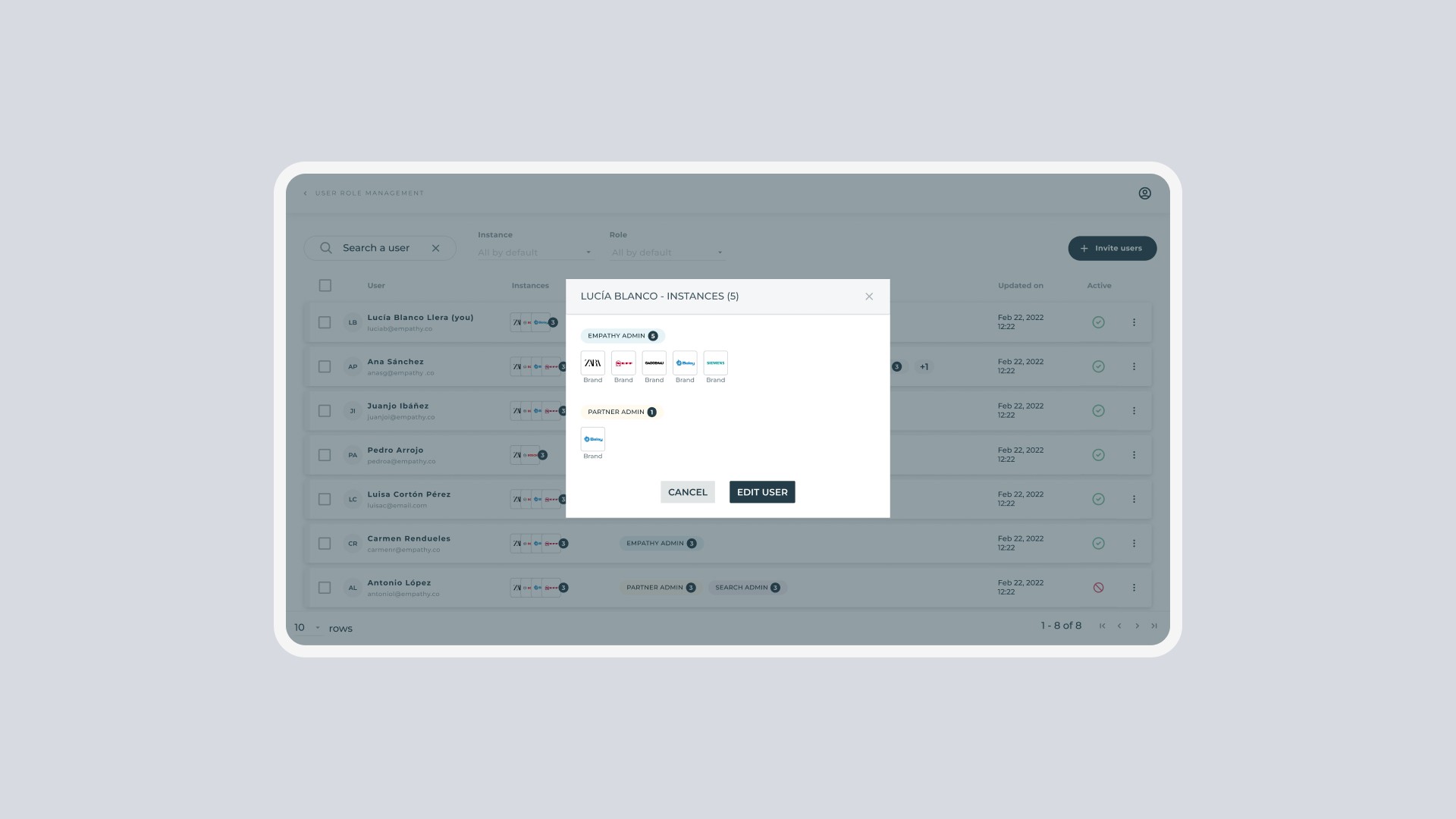
Access detailed permission sets in one click.
Edit, duplicate, or revoke roles through a guided, confirmation-based flow.
Maintain system integrity with built-in validation rules and clear visual feedback.